INTELLIGENT MOVEMENT · Foundational calm
Magento Payment Plugin by Dinape
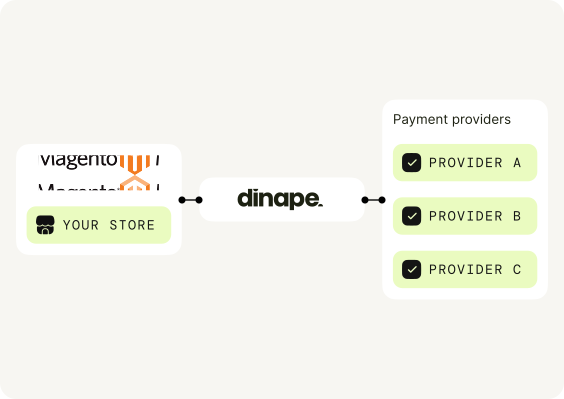
Connect your Magento plugin to Dinape through a structured, staging-to-production rollout.
Why Dinape?
One integration. More payment flexibility.
Dinape connects your Magento plugin with your payment setup and adds a flexible payment layer without requiring a custom Magento integration.

Staging-first rollout
Introduce the extension through your normal Magento release process.

Architecture review
Confirm edition, store scope and checkout architecture before deployment.

Controlled release
Validate payment and order-status flows in staging before production.
From plugin to checkout in a clear and practical flow.
STEP 01
Scope your Magento environment
Confirm edition, version, storefront, checkout architecture and deployment route.
STEP 02
Deploy to staging
Install the approved package in staging and add the Dinape configuration in Magento Admin.
STEP 03
Approve the release
Run end-to-end testing, then deploy the confirmed configuration to production.
payment methods through dinape
Offer the payment methods that fit your setup.
Your Magento plugin can display the methods enabled through your Dinape account and PSP configuration.

01
Cards and wallets
Familiar ways to pay.
Visa
Mastercard
Apple Pay
Google Pay

02
Bank payments
Directly from their bank.
Open Banking

03
Mobile payments
Made for mobile customers.
Direct Carrier Billing
Method availability depends on your PSP, market, currency and approved setup.
Got questions? We have answers.
Short answers for your Magento payment setup.
What does the Dinape Magento plugin do?
It connects your Magento checkout to the payment setup configured in Dinape.
Which Magento editions and versions are compatible?
The supported edition and version are confirmed before implementation.
Can I use it with several stores?
Confirm the multi-store scope and test each store before activating live payments.
Will it work with Hyva, PWA or a headless storefront?
These storefronts need a compatibility review before the setup is confirmed.
Which payment methods can I offer?
Your Magento checkout can show Visa, Mastercard, Apple Pay, Google Pay, Open Banking and Direct Carrier Billing when enabled for your Dinape and PSP configuration.

Plugin ecoystem
Need help with your setup?
Talk to the Dinape team and get your tailored proposal.