INTELLIGENT MOVEMENT · Foundational calm
WooCommerce Payment Plugin by Dinape
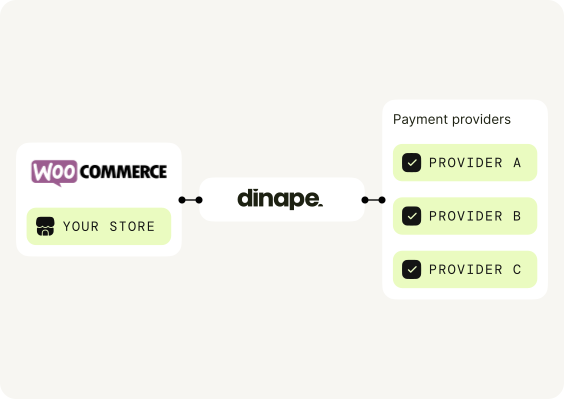
Connect your WooCommerce plugin to Dinape. Add the plugin, configure the payment methods approved for your business and take your payment setup live.
Why Dinape?
One integration. More payment flexibility.
Dinape connects your WooCommerce plugin with your payment setup and adds a flexible payment layer without requiring a custom WooCommerce integration.

Built for WordPress
Keep the payment connection inside the WooCommerce and WordPress environment your team already uses.

Configure in WooCommerce
Add Dinape credentials through familiar payment settings instead of building an integration.

Theme-aware testing
Test checkout, redirects and order updates alongside your active theme and extensions.
From plugin to checkout in a clear and practical flow.
STEP 01
Check your WordPress stack
Confirm WooCommerce, WordPress, PHP and any checkout extensions in a test environment.
STEP 02
Connect in WooCommerce
Install the plugin, add Dinape credentials and activate the approved payment setup.
STEP 03
Test the checkout journey
Place a test order in your theme, check redirect and order-status updates, then go live.
payment methods through dinape
Offer the payment methods that fit your setup.
Your WooCommerce plugin can display the payment methods enabled for your Dinape and PSP configuration.

01
Cards and wallets
Familiar ways to pay.
Visa
Mastercard
Apple Pay
Google Pay

02
Bank payments
Directly from their bank.
Open Banking

03
Mobile payments
Made for mobile customers.
Direct Carrier Billing
Method availability depends on your PSP, market, currency and approved setup. The categories above are placeholders until availability is verified.
Got questions? We have answers.
Short answers for your WooCommerce payment setup.
What does the Dinape WooCommerce plugin do?
It connects your WooCommerce checkout to the payment setup configured in Dinape.
Which WooCommerce versions are compatible?
Supported WooCommerce, WordPress and PHP versions are confirmed before installation.
Which payment methods can I offer?
Your checkout can show Visa, Mastercard, Apple Pay, Google Pay, Open Banking and Direct Carrier Billing when enabled for your Dinape and PSP configuration.
How do I install the plugin?
Download the plugin, follow the setup guide and connect it with your Dinape credentials.
Can I test before I go live?
Complete a test order and check the payment return and order-status flow before enabling live payments.

Plugin ecoystem
Need help with your setup?
Talk to the Dinape team and get your tailored proposal.